Note: If
the Large File Transfer (the 10th System Check Type status from the top) is FAILED, this
System Check Type cannot be displayed.
Procedure
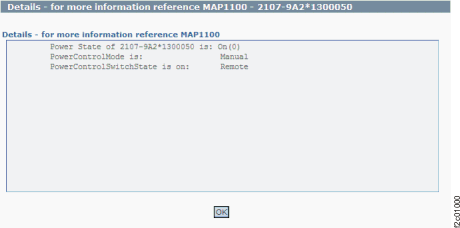
Figure 1 is
an example of the detail window for the storage facility power
state (in this example, an error condition is not shown).
Figure 1. Window: Storage
facility power state details
Description: The storage facility power
state is not as expected.
Action: Ensure that any power setting changes have
had time to complete and that no repair actions are in progress. Contact your next level of support. The
next level of support must remotely connect to
repair this condition.
Next level of support only:
lsrsrc IBM.EssStorageFacility powerStateResource
Persistent Attributes for IBM.EssStorageFacility
resource 1:
		powerState = 0

POSSIBLE VALUES:
****************
state_ON = 0;
state_OFF = 1;
state_POWERING_ON = 2;
state_POWERING_OFF = 3;
state_ERROR = 4;

ERROR EVALUATION
****************
States 0 to 3 are acceptable, other values are flagged as errors