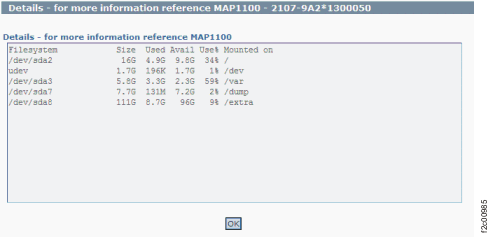
Figure 1 is an example
of the detail window for the HMCFileSystemSizeCheck (in this example,
an error condition is not shown).
Figure 1. Window: HMCfilesystemSizeCheck
details
Description: Most likely one of the file systems
on the HMC boot drive is more than 95% full. Normally the file system
size is automatically managed and kept to a proper size. The Details window
might show which file system is almost full.
Action: Contact your next level of support. The
next level of support must remotely connect to
remove the files that have filled the file system.