MAP1100 Section-8 RMC HMC Resource Managers
Procedure
-
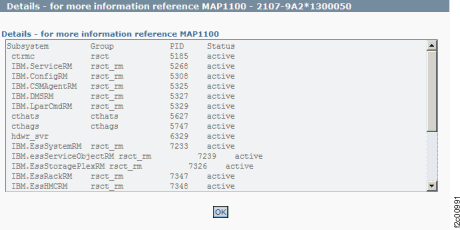
See Figure 1 for an example of the detail window for the RMC
HMC resource managers (in this example, an error condition is not shown).
Figure 1. Window: RMC
HMC resource managers details
- Description: One or more resource managers were
found inactive.
-
Action: Contact your next level of support. Next level of
support must remotely connect to repair this condition.
- For next level of support only: The command :/var/esshmc/log/lssrc
-a is run and looks for active status for the following:
- IBM.ConfigRM
- ctrmc
- cthags
- cthats
- IBM.ServiceRM
- IBM.DMSRM
- IBM.EssDrawerRM
- IBM.EssHMCRM
- IBM.EssStoragePlexRM
- IBM.EssSystemRM
- IBM.EssRackRM
- IBM.essServiceObjectRM
- IBM.LparCmdRM