Checking the rack switch settings
Procedure
-
Verify the setting of the following switches on Rack-1.
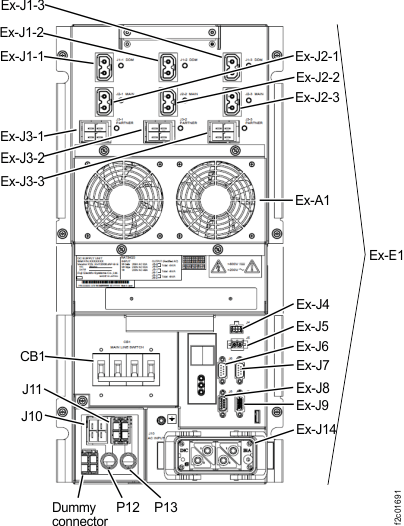
Table 1. Switch settings and locations for Rack-1 Switch Setting Location Figure reference CB1 MAIN LINE SWITCH Off (down) On lower right (single-phase) of each DC-UPS (left rear and right rear of rack)
On lower left (three-phase) of each DC-UPS (left rear and right rear of rack)Figure 5 or Figure 6 RPC card DIP switches 1, 2, (Both cards)
Off (left) Both RPC cards (left rear and right rear of rack) Figure 1 Local Remote switch Local (left - toward front of rack) LR card (right rear of rack) C6 in Figure 3, Figure 2, and Figure 4 . Figure 1. Location codes for the RPC card (Model 98x) 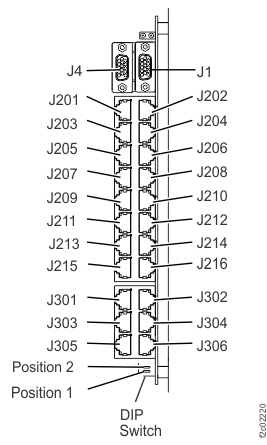
Figure 2. Location codes for the local remote switch card 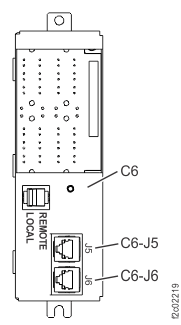
Figure 3. Models 980, 981, 982 base rack locations Note: Locations for models 980, 981, 982 are shown. DC-UPS locations are similar for models 98x and 8xE.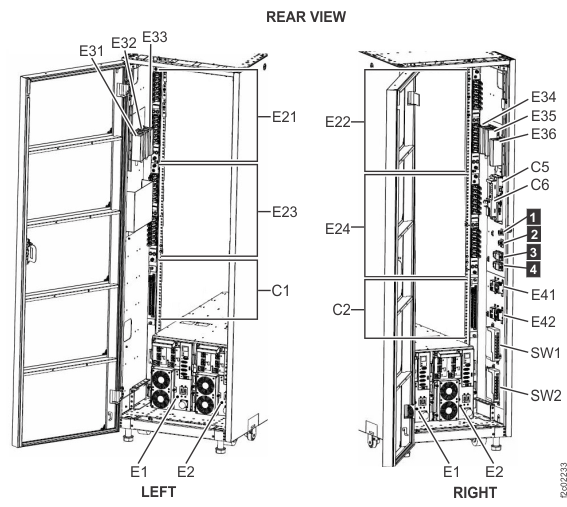
Figure 4. Model 984, 985, 986, 988 base rack locations Note: Rack-1 shown. PJAs E51, E52, E53, and E54 can also be present in Rack-2. DC-UPS locations are similar for models 98x and 8xE.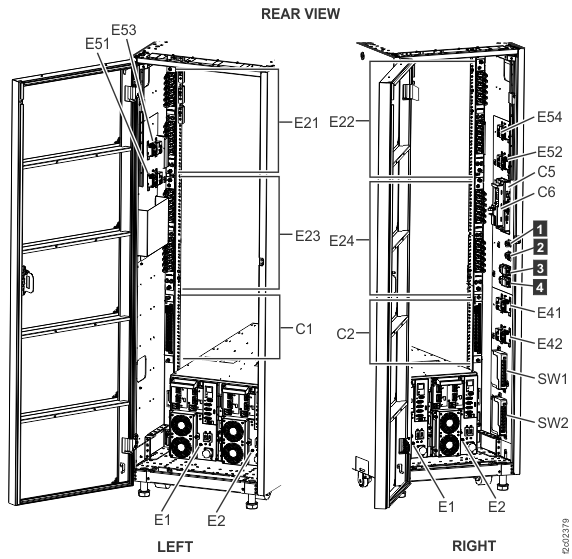
Figure 5. Location codes for the DC-UPS (Models 98x and 8xE, single-phase power) (rear) 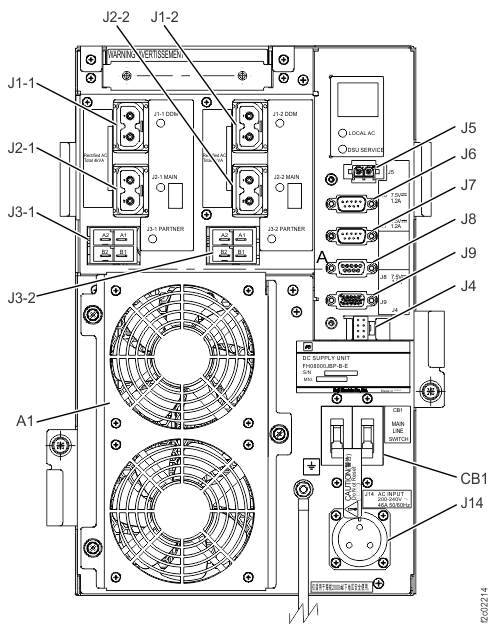
Figure 6. Location codes for the DC-UPS (Models 98x and 8xE, three-phase power) (rear)