Ethernet (8-port) switch part numbers, Model 961
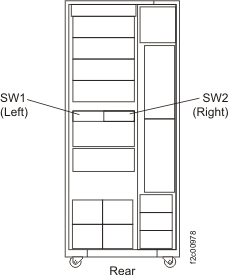
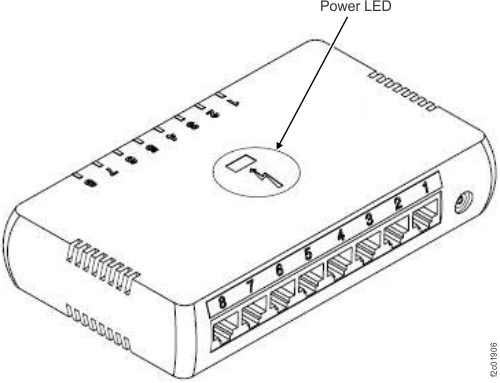
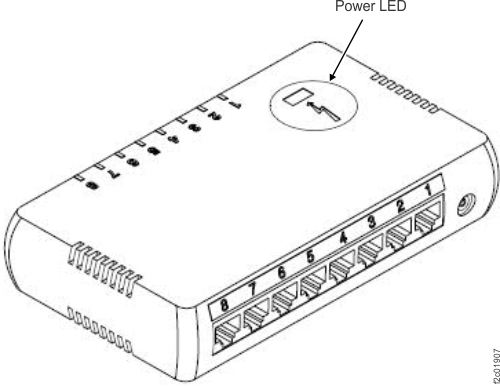
Information about Ethernet switch parts is listed below. See Figure 1 for switch locations. See Figure 2 and Figure 3 for switch versions.
Note: The following part numbers are the most recent for this version of the
Parts Catalog. Your storage facility or serviceable event FRU list might contain an older or newer
part number. The parts-ordering system recognizes all valid part numbers and automatically
substitutes an available part number as needed.
| Index | Part name | Part number |
|---|---|---|
| SW1/SW2 | 8-port Ethernet switch, version 1 (see Figure 2) | 98Y3779 |
| SW1/SW2 | 8-port Ethernet switch, version 2 (see Figure 3) | 98Y3777 |
Note: Order the Ethernet switch
version that matches the existing switch. If substitutions are necessary,
they will be handled by the parts system.
|
||
Cables for Ethernet switch SW1 (left)
To
find part numbers for the cables that are connected to Ethernet switch
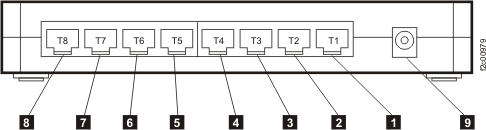
SW1 (the left Ethernet switch), see Figure 4 and Table 2.
| Index | Part name | Part number |
|---|---|---|
| 1 | Cable, Ethernet switch SW1 -to- HMC (1750 mm black) | 45W2258 |
| 2 | (Call your next level of support) | |
| 3 | Cable, Ethernet switch SW1 -to- CEC enclosure XC11 FSP (1960 mm black) | 99Y0490 |
| 4 | Cable, Ethernet switch SW1 -to- CEC enclosure XC22 FSP (2155 mm black) | 99Y0491 |
| 5 | Cable, Ethernet switch SW1 -to- CEC enclosure XC11 (2010 mm black) | 99Y0492 |
| 6 | Cable, Ethernet switch SW1 -to- CEC enclosure XC22 (2205 mm black) | 99Y0493 |
| 7 | Not used | |
| 8 | Not used | |
Notes:
|
||
Cables for Ethernet switch SW2 (right)
To find part numbers for
the cables that are connected to Ethernet switch SW2 (the right Ethernet
switch), see Figure 4 and Table 3.
| Index | Part name | Part number |
|---|---|---|
| 1 | Cable, Ethernet switch SW2 -to- HMC (1580 mm gray) | 45W2262 |
| 2 | (Call your next level of support) | |
| 3 | Cable, Ethernet switch SW2 -to- CEC enclosure XC11 FSP (1780 mm gray) | 99Y0494 |
| 4 | Cable, Ethernet switch SW2 -to- CEC enclosure XC22 FSP (1975 mm gray) | 99Y0495 |
| 5 | Cable, Ethernet switch SW2 -to- CEC enclosure XC11 (1830 mm gray) | 99Y0496 |
| 6 | Cable, Ethernet switch SW2 -to- CEC enclosure XC22 (2025 mm gray) | 99Y0497 |
| 7 | Not used | |
| 8 | Not used | |
Notes:
|
||