Remove AC power
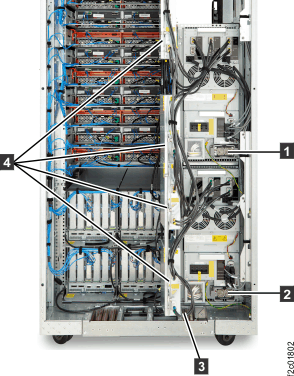
The storage facility operates with two mainline power cables to each rack.
Before you begin
Procedure
- Open the rear left machine cover. Remove and retain the
two screws 1 and open the rear right
machine cover. See Figure 1.
Note: The screws must be reinstalled later to prevent non-service personnel from accessing a hazardous section of the machine.
Figure 1. Removing retaining screws on right rear machine cover 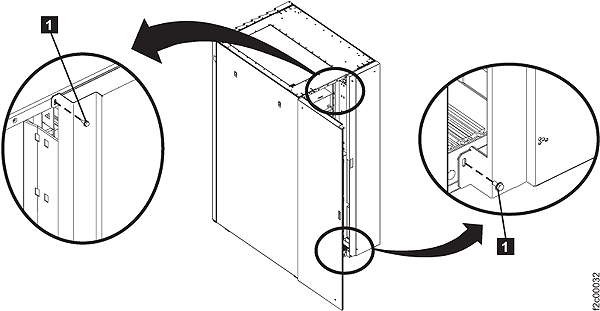
- Disconnect the customer end of both mainline ac power cables.
- For mainline power cables (plug in): Disconnect both mainline AC power cables from the customer's AC mainline power receptacles.
- For mainline power cables (wired): If the mainline power cables
were recently rewired or have never been used, disconnect both mainline
AC power cables

 before you continue the safety inspection.
Instruct the customer to call a licensed electrician to disconnect
the mainline AC power cables from the customer's mainline AC power.
before you continue the safety inspection.
Instruct the customer to call a licensed electrician to disconnect
the mainline AC power cables from the customer's mainline AC power.
Figure 2. Mainline power cables (Model 94x) 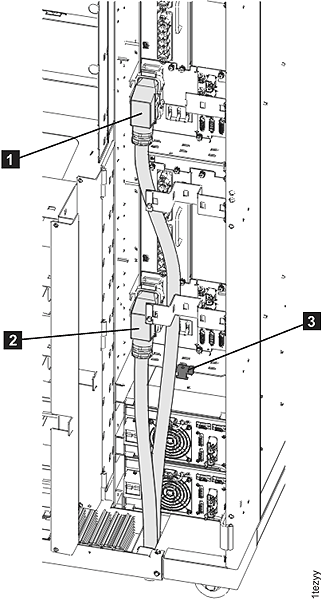
Figure 3. Mainline power cables (Model 95x) 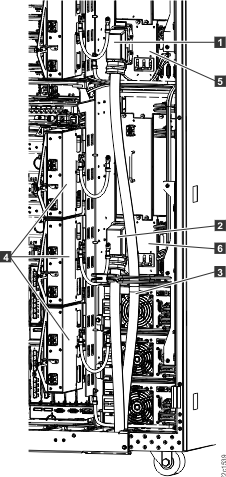
Figure 4. Mainline power cables (Model 96x)