FC-AL cables, optical, connecting after FCIC replacement
This topic describes how to connect the FC-AL cables.
Before you begin
About this task
Important: The optical cable plugs (LC connectors) and ports (SFPs) must be
cleaned before connecting them. Use cleaning tool 54Y4392 or IBM-approved alternative. After
cleaning SFPs with the tool, use air bulb 45D2645 or IBM-approved alternative. For detailed
procedures, refer to current DS8000 Info Alerts or contact your next level of support.
Procedure
- Connect the FC-AL cables to the FCIC. Use the
location code labels on each cable to ensure it is properly connected.
- If your FC-AL cables have location labels which include the physical location code (example: R1-G01-P1-C6-T2), refer to Figure 1 and connect the cables. After connecting the cables, go to step 3.
- If your FC-AL cables have location labels with only the three-character connection designators (example: 4A1), go to step 2.
Figure 1. FC-AL location codes for the fibre channel interface card (FCIC), optical FC-AL ports 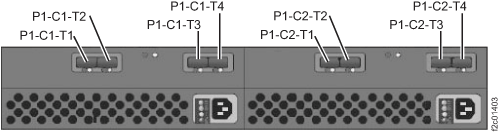
-
Determine whether Rack-1 FC-AL cabling is "enterprise" or
business class
.-
Find the rack internal model label on the inside left wall of the rack, as shown in Figure 2.
Note: DO NOT use the rack model that appears on the outside of the front cover.
Figure 2. Rack-1 configuration labels (examples) 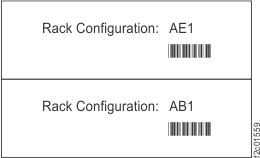
Figure 3. Point-to-point cabling diagram for storage enclosure PCIe and FC-AL cables (single-phase Models 981, 98E, rear view, racks 1, 2) 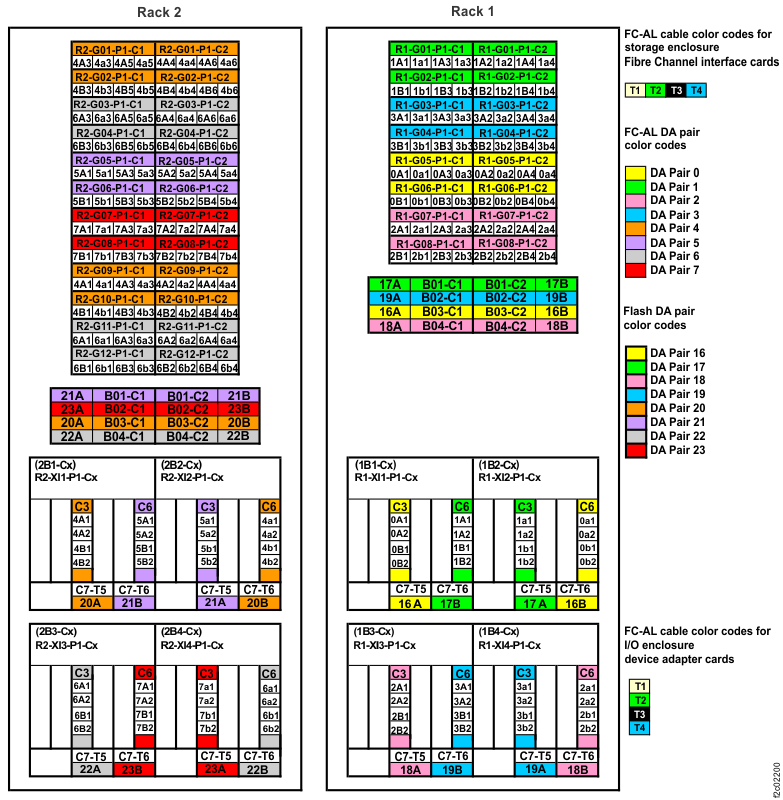
Figure 4. Point-to-point cabling diagram for the FC-AL cables (single-phase Models 981, 98E, rear view, racks 3, 4, 5) 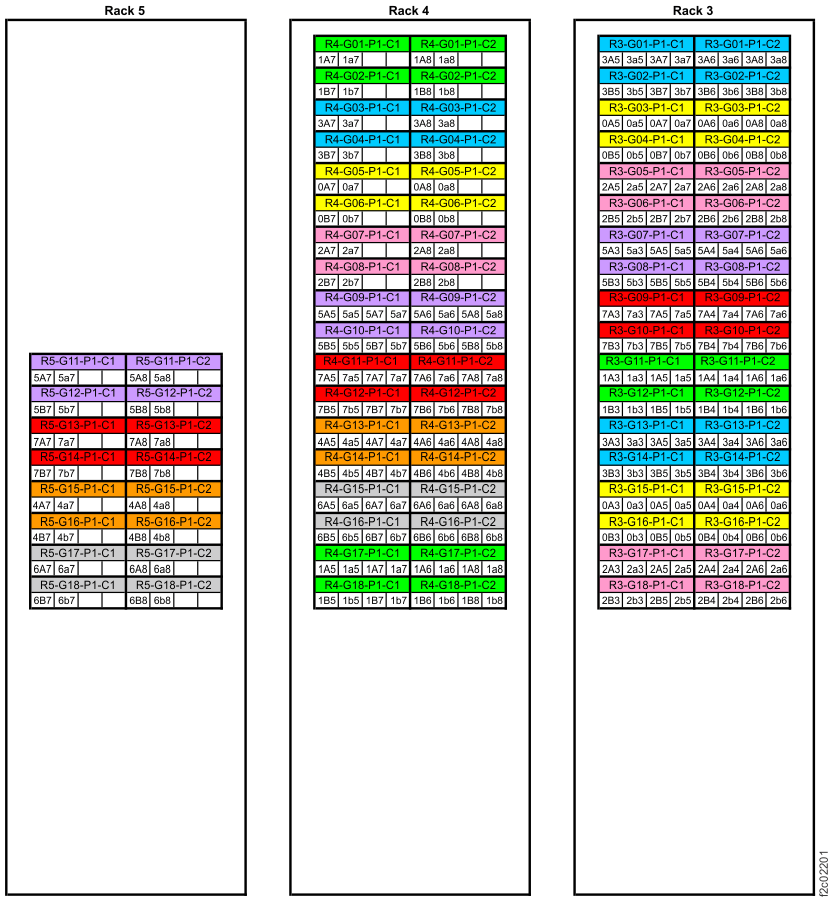
Figure 5. Point-to-point cabling diagram for storage enclosure PCIe and FC-AL cables (Models 980, 98B, rear view, racks 1, 2) 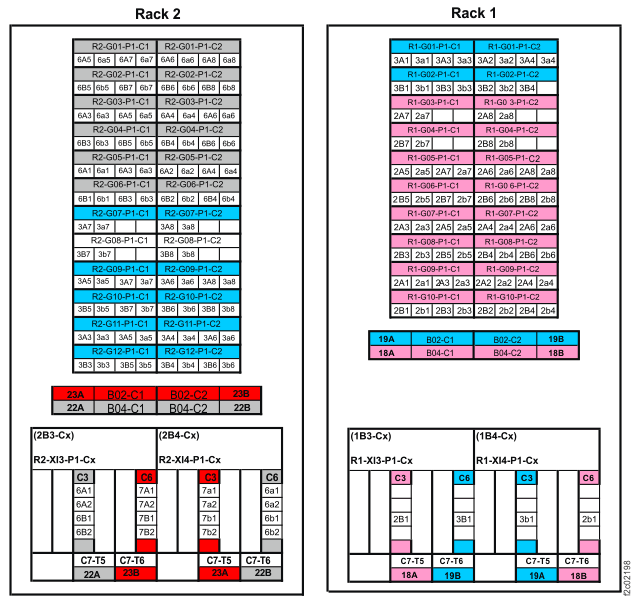
Figure 6. Point-to-point cabling diagram for the FC-AL cables (Models 980, 98B, rear view, rack 3) 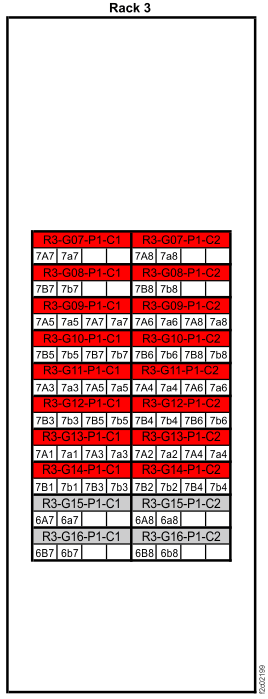
Figure 7. Point-to-point cabling diagram for storage enclosure PCIe and FC-AL cables (three-phase Models 981, 98E, rear view, racks 1, 2) 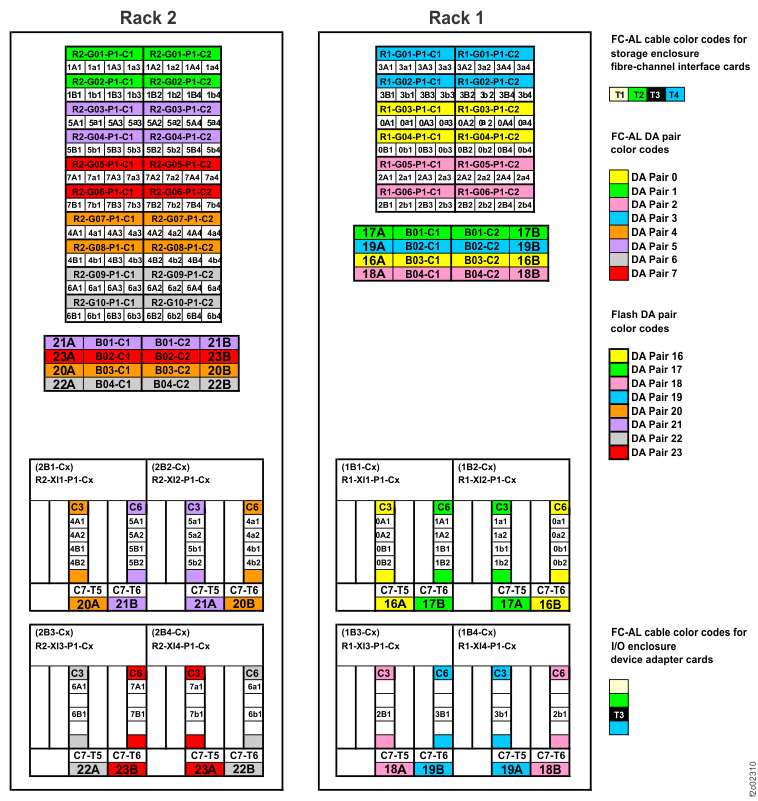
Figure 8. Point-to-point cabling diagram for the FC-AL cables (three-phase Models 981, 98E, rear view, racks 3, 4, 5) 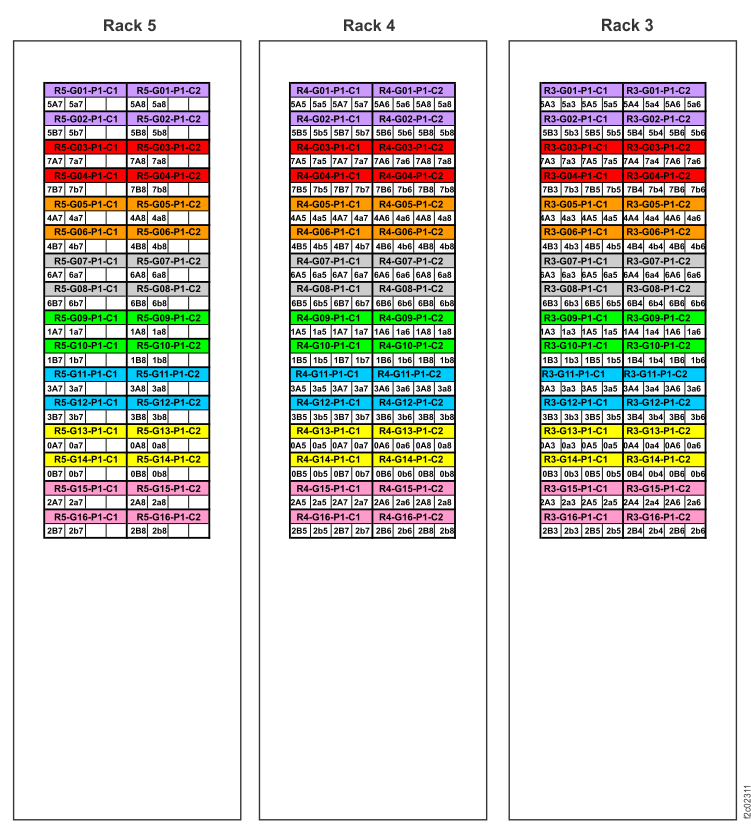
-
Find the rack internal model label on the inside left wall of the rack, as shown in Figure 2.