Disconnecting Rack-2 I/O enclosure power
Use these procedures to disconnect the power input cables from each I/O enclosure for Rack-2.
Procedure
-
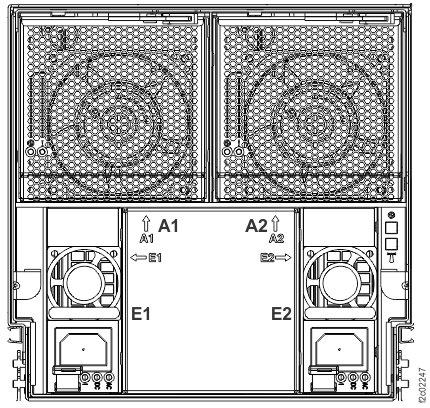
At the front of Rack-2, disconnect the power input cables from power supplies E1 and E2 (Figure 2) on each I/O enclosure 2B1 (if
present), 2B2 (if present), 2B3 and 2B4 (Figure 1).
Figure 1. I/O enclosure locations (front) (models 98x, 8xE) 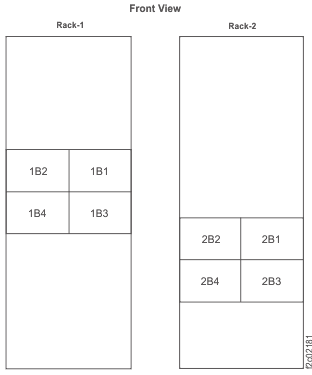 Note: Enclosures 1B1, 1B2, 2B1, and 2B2 are not present in some models.
Figure 2. I/O enclosure locations (front) (models 98x, 8xE)