Checking the expansion rack switch settings
Procedure
-
Verify the setting of the following switches ONLY on the expansion rack being installed.
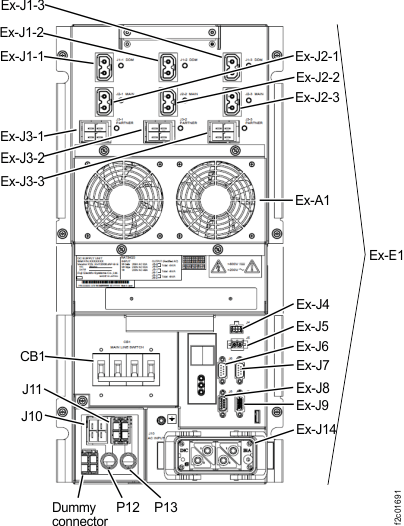
Table 1. Switch settings and locations ONLY for expansion rack being installed Switch Setting Location Figure reference CB1 main line switch Off (down) On lower right (single-phase) of each DC-UPS (left rear and right rear of rack)
On lower left (three-phase) of each DC-UPS (left rear and right rear of rack)Figure 1 or Figure 2 Figure 1. Location codes for the DC-UPS (Models 98x and 8xE, single-phase power) (rear) 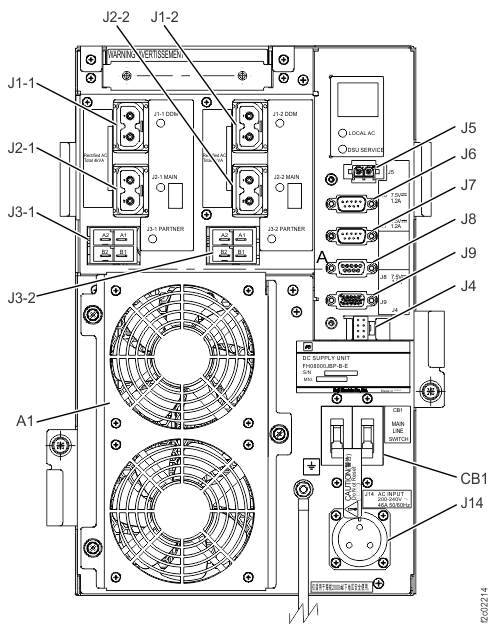
Figure 2. Location codes for the DC-UPS (Models 98x and 8xE, three-phase power) (rear)