MAP1150 Storage facility image control switches
The storage facility image code control switches set determines the code behavior.
Procedure
Display or set the storage facility image control switches.
- From the task area, select .
- The figures shown are examples of the control switches. Your level of code may have different switches displayed.
- To determine the behavior of each switch setting, see the IBM DS8000 Introduction and Planning Guide for your model.
- The control switch settings should be part of the customer configuration worksheet that the customer provides for use during the installation.
Figure 1. Window: Control switches (view or set) Note: This view is the left side of the display, which contains switches that can be set.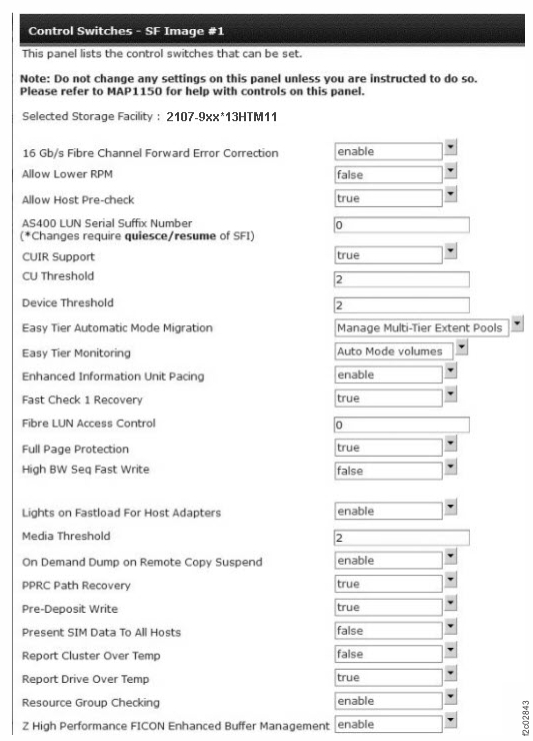
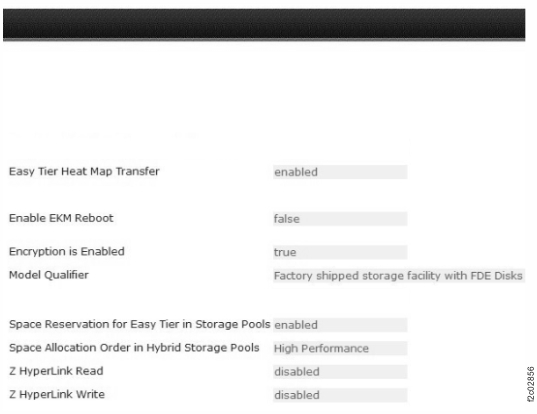
Figure 2. Window: Control switches (view only) Note: This view is the right side of the display, which contains switches that can be viewed but not set.