MAP6030 Management console laptop enclosure cooling
Use this MAP to determine if there is a problem with the management console hardware. This MAP might direct you to procedures in other sections of this service guide or to other service guides.
MAP6030 Section-1
Procedure
- Inspect each of the four fans for rotation. Use one of
the following methods:
- At the front of the rack, extend the laptop tray out
to the service position and then use a flashlight to look inside to
check the rotation of the four fans.
Figure 1. Ethernet tray fans, view from front of rack. 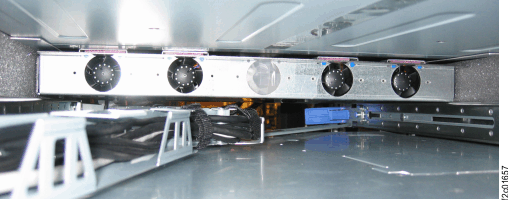
- For Model 951, at the rear of the rack, remove the two
screws
 , rotate the hinges inwards and down,
then pull the baffle
, rotate the hinges inwards and down,
then pull the baffle  to the rear of the rack to expose
the fans. See Figure 2 and Figure 3.
to the rear of the rack to expose
the fans. See Figure 2 and Figure 3. Figure 2. Ethernet switch tray air baffle (Model 951) 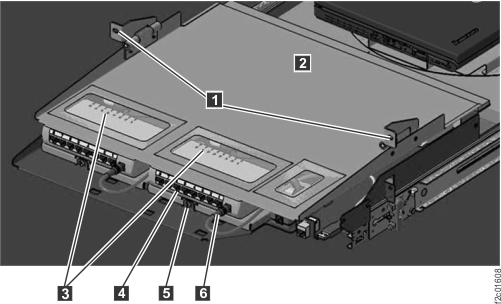
Figure 3. Ethernet switch tray fans (Model 951) 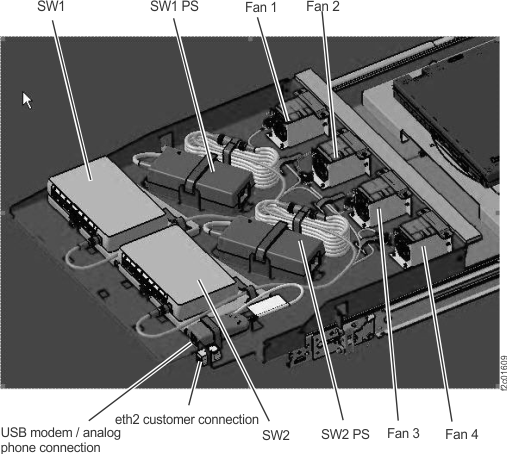
- For Model 961, at the rear
of the rack, loosen the two screws
 . Lift the baffle up and pivot the
two sections and
. Lift the baffle up and pivot the
two sections and  towards each other so the baffle clears
the cables nearby. Lift the baffle out to expose the fans. See Figure 5 and Figure 4.
towards each other so the baffle clears
the cables nearby. Lift the baffle out to expose the fans. See Figure 5 and Figure 4. Figure 4. Ethernet switch tray air baffle (Model 961) 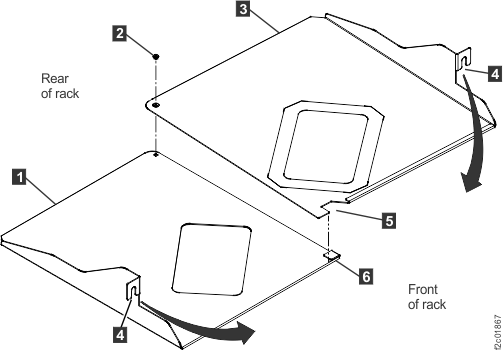
Figure 5. Ethernet switch tray locations (Model 961, rack version 1) 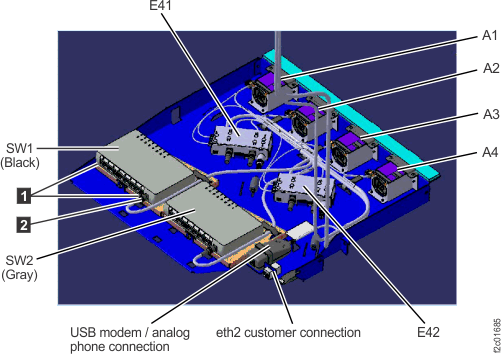
- For Model 961 rack
version 2, at the front of the rack, extend the laptop tray to operating
position and observe the fans at the rear of the laptop tray. See Figure 6.
Figure 6. Laptop tray locations (Model 961 rack version 2 front) 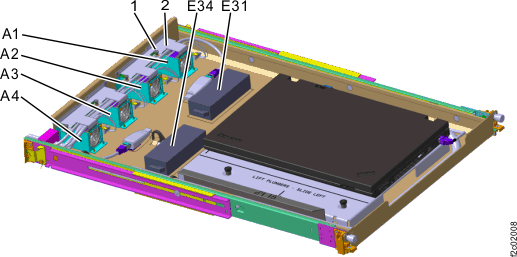
- At the front of the rack, extend the laptop tray out
to the service position and then use a flashlight to look inside to
check the rotation of the four fans.