Exchange the bus bar, 5/12V primary
Before you begin
 Use approved ESD procedures to prevent damage.
Attention:
- This procedure is not a stand-alone procedure. Customer disruption and damage to the hardware might occur when microcode and power boundaries are not in the proper conditions for this service action.
- If a serviceable event FRU repair directed you to this procedure, the microcode and power boundaries are already set.
- If a serviceable event FRU repair did not direct you to this procedure, see MAP1230 Replace a FRU without using a serviceable event.
Notes:
- All the cables and FRUs to be removed must be uniquely identified so they can be reinstalled correctly.
- If an installed earthquake resistance kit prevents you from accessing this FRU, refer to MAP1600.
- This procedure is disruptive and requires the storage facility to be powered off.
Remove the primary 5/12V bus bar
Procedure
- Set the local/remote switch card white switch
 to Local (down). This will prevent
the rack from being unexpectedly powered up by the management console (or remote
power control if the feature is installed).
to Local (down). This will prevent
the rack from being unexpectedly powered up by the management console (or remote
power control if the feature is installed). Figure 1. Location of the local remote switch card and the zSeries local remote switch card 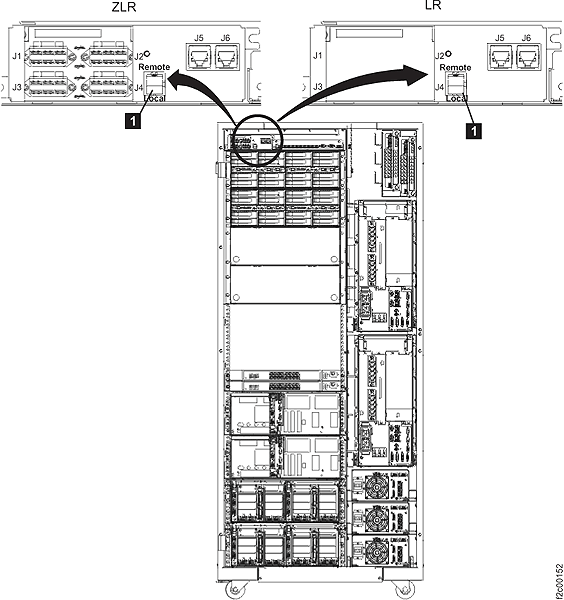
-
Does the rack that you are repairing contain an integrated management console?
Figure 2. Visual overview of Model 941 Rack-1, front 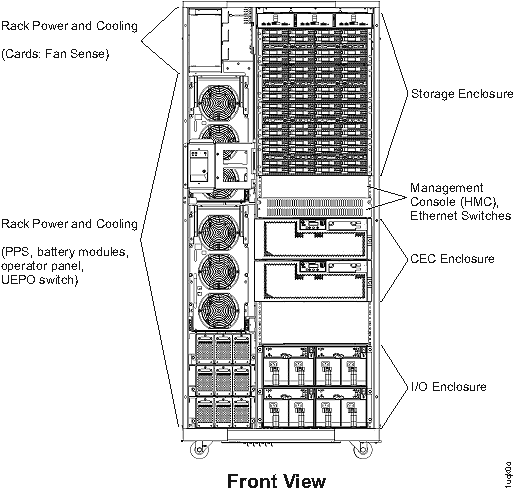
- Yes, go to the next step.
- No, go to the 208 VDC bus bar gate to service position instructions in step 10.
- If this is an expansion rack and it has old level sheet metal, the sheet metal
baffle
 to the left of the gate and at the bottom of the storage enclosure chassis might need to be
removed to allow the gate to swing open. Remove the two screws that fasten the baffle to the 19" rack mount vertical rails. If the baffle is the new level
sheet metal, it has a flexible plastic cutout that bends out of the way when the gate is swung
open.
to the left of the gate and at the bottom of the storage enclosure chassis might need to be
removed to allow the gate to swing open. Remove the two screws that fasten the baffle to the 19" rack mount vertical rails. If the baffle is the new level
sheet metal, it has a flexible plastic cutout that bends out of the way when the gate is swung
open.
Figure 3. Air baffle 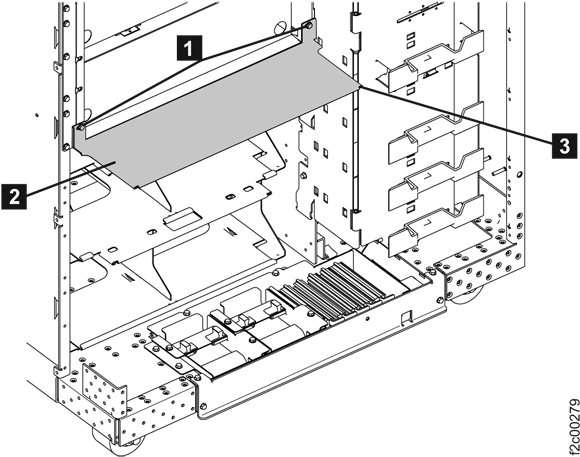
-
Remove the two screws and open the 208 VDC bus bar gate to the
service position.
Figure 4. 208VDC bus bar gate service position 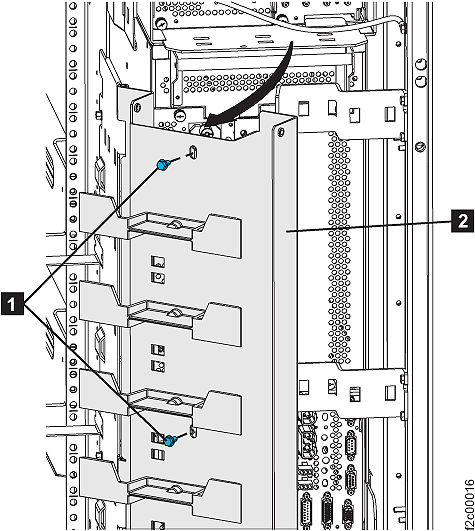
- Remove power and mainline power cord from both PPSs.
- At both PPSs, set
the ac input power module CB00 switch to Off (down).
- At both PPSs, disconnect
the mainline power cord from the ac input power module. Push the two
release levers .
Figure 5. Power supply main line CB00 switch 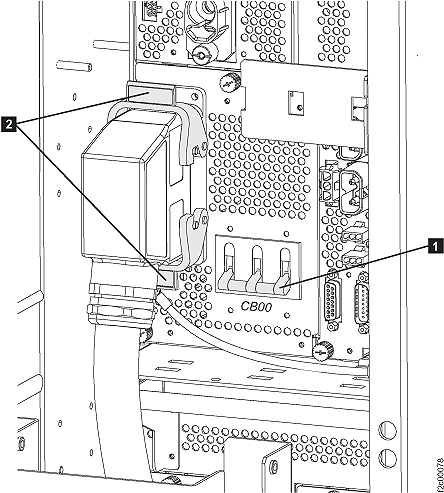
- At both PPSs, set
the ac input power module CB00 switch
- At both PPSs, disconnect
the rear cables:
- At the front of the rack:
- Remove the two screws and swing open the rack operator panel.
Figure 6. Rack and power operator panel UEPO open 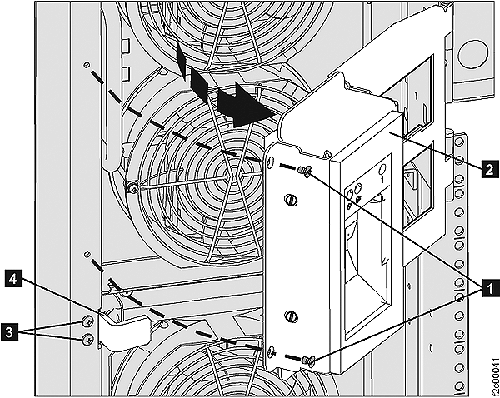
- Remove the two screws and remove the door latch bracket .
Figure 7. Rack and power operator panel UEPO door latch 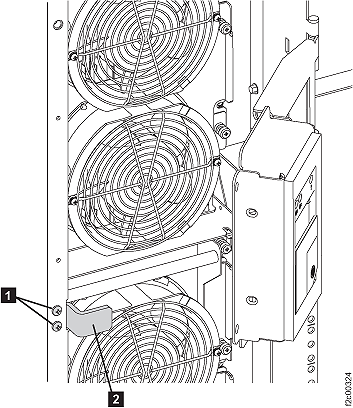
- Remove the two screws
- At the front of the rack:
- Put both PPSs in service
position 1 (partially extended):
- At the front of the rack, remove the eight black hex
head screws that fasten each PPS chassis
to the rack.
Figure 8. PPS chassis remove 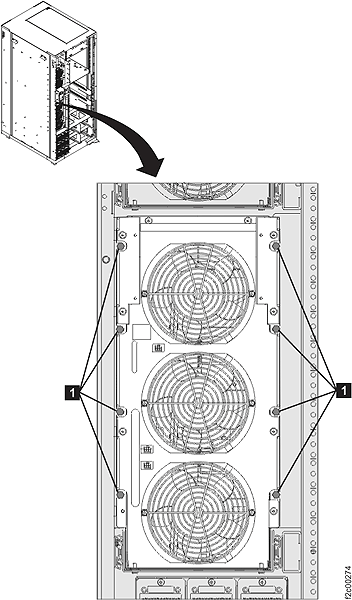
- Slide both PPSs out
to service position 1 (partially extended). The PPS rail
detents will click at service position 1 and then will prevent the PPS from
being pushed back in to the normal position. Note: To allow the PPS to be pushed back in, you must pull the PPS out to service position 2 (fully extended), release both slide detents and then push the PPS chassis in fully.
Figure 9. PPS service position 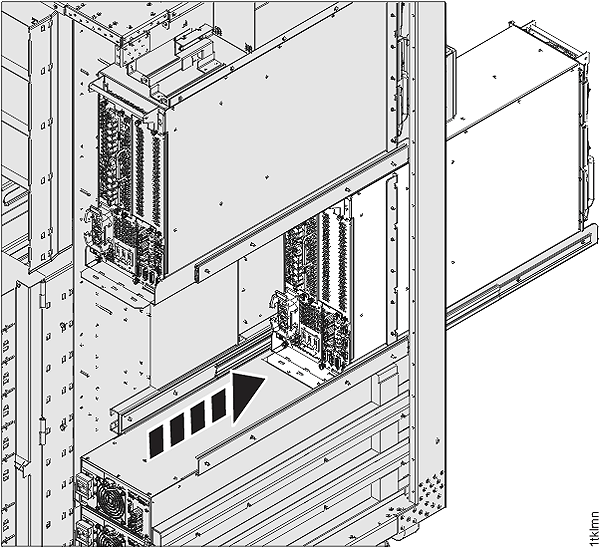
- At the front of the rack, remove the eight black hex
head screws that fasten each PPS chassis
to the rack.
- Disconnect cables from bus bars: Note: You might need to remove both bus bars to get the bus bar being replaced removed.
- Disconnect the cables through
 from the top and middle connectors
on both bus bars.
from the top and middle connectors
on both bus bars. Figure 10. 5/12V bus bar top and middle cable connectors 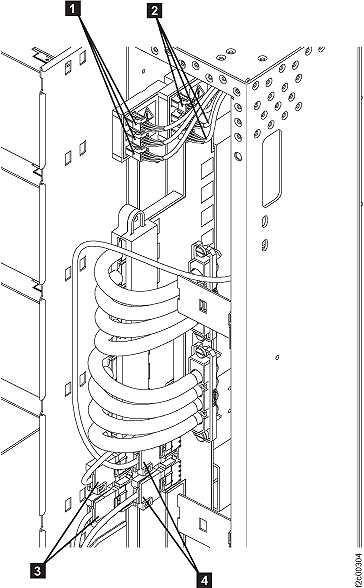
- Remove the screw at the top of the bus bar cable cover and then remove the cover.
Figure 11. 5/12V bus bar cable cover screw 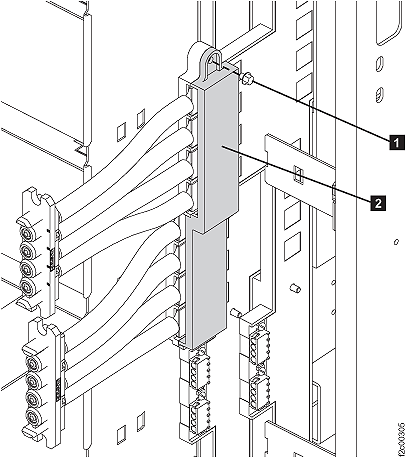
- Remove the 5/12V power cables from the bus bar being
replaced. Remove the bolt securing each cable.
Figure 12. 5/12V bus bar cable bolts 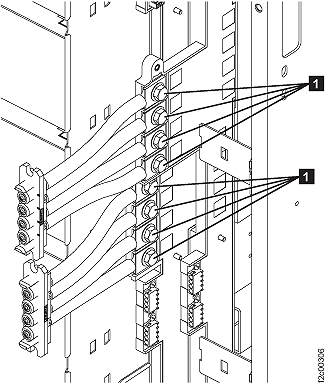
- Disconnect the cables
- Remove the primary to secondary tie bars:
- At the front of the rack, remove the two screws securing the PPS to the
sheet metal tray.
Figure 13. PPS sheet metal screws 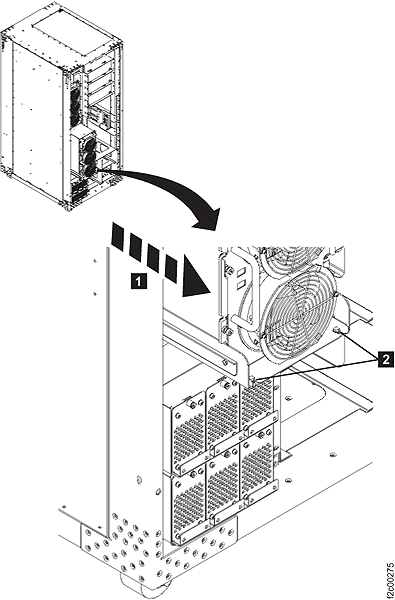
- Pull the PPS out about 5 cm (2 inches) further on the
sheet metal tray as shown. (This will give more clearance at the back
of the PPS for
the next step.)
Figure 14. Sliding PPS out on sheet metal tray 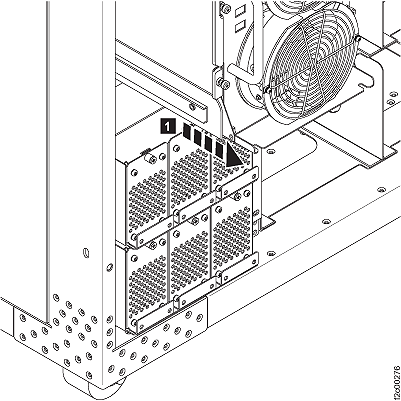
- At the rear of the rack, remove the primary to secondary
tie bar plastic cover. Loosen but do not remove the two screws . The plastic cover has keyhole slots.
The cover has tabs that slide behind the upper and low tie bar. Slide
the cover up , and then remove it.
Figure 15. Bus bar cover 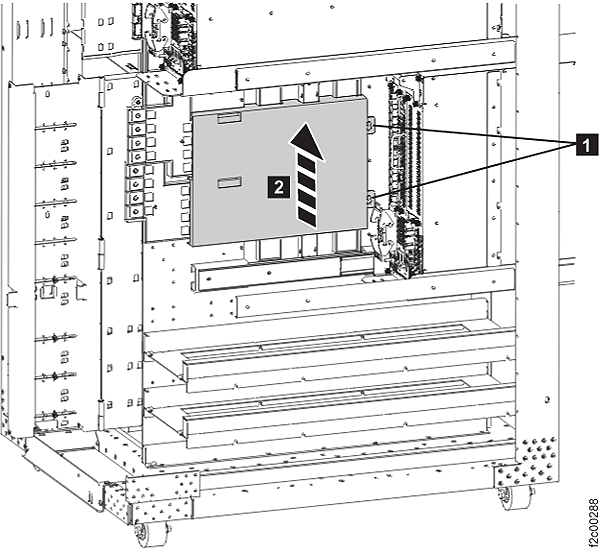
- Remove the bolt securing each end of each tie bar
and remove the tie bars .
Figure 16. Lower tie bars 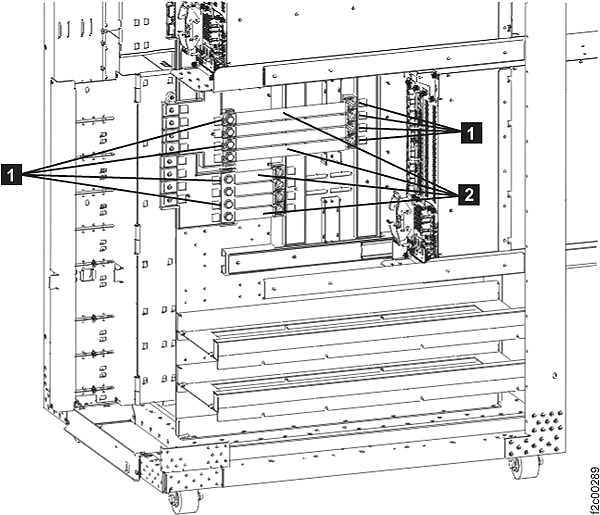
- At the front of the rack, remove the two screws
- Remove the primary bus bar:
- Remove the nuts and washers securing the bus bar to the frame,
and then remove one or both bus bars as needed.
Figure 17. 5/12V bus bar frame nuts and washers 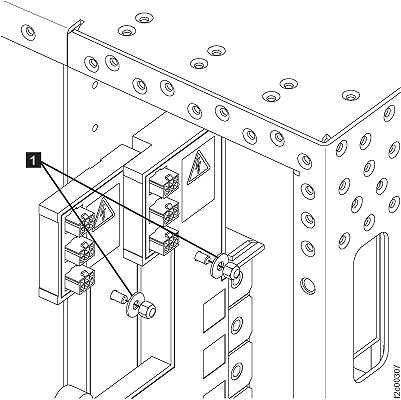
- Remove the nuts and washers
Install the primary 5/12V bus bar
Procedure
-
Install each 5/12V power cable to the bus bar by using a bolt . See
Figure 12.
Note: The bolts must be torqued to 8 to 11 newton meters (6 - 8 foot pounds) to make proper contact. It is recommended that you use a torque wrench if one is available. DO NOT OVERTIGHTEN, or the threads in the copper bus bars might strip.
- Install the bus bar cable cover and secure it with the screws . See Figure 15.
- Connect the cables through to the top and middle connectors on
both bus bars. See Figure 10.
- Put both PPSs back
to the normal position. Note: To allow the PPS to be pushed back in, you must pull the PPS out to service position 2 (fully extended), release both slide detents and then push the PPS chassis
in fully.
- Install the eight black hex head screws that fasten each PPS chassis
to the rack. See Figure 8.
- At the front of the rack:
- Power on the rack:
- Set the local/remote switch card white switch to Remote (up). See Figure 1.
- Use the management console to power on the storage facility subsystem.
- Set the local/remote switch card white switch